

Power Insights: See Everything Your Tenant Has Built on Power Platform


Makers ship faster than governance boards meet. Ask most organisations how many Power Apps and flows they run, who owns them and which premium connectors they depend on, and the honest answer is a spreadsheet from last quarter. Power Insights is the LogiSam product that answers those questions in minutes: a read-only inventory of every environment, app, flow, connection, connector, solution and Dataverse table in your Microsoft 365 tenant, with nothing to install.
Sign in with Microsoft · Read-only · Nothing to install in your tenant
The problem: you cannot govern what nobody has listed
- Shadow IT has a shape. Personal connections running production processes, premium connectors in a trial environment, an app owned by someone who left in March.
- Governance, licensing and security all ask the same questions. Who owns this? What does it connect to? What breaks if it goes? Where does the data sit? Without an inventory, every audit starts from scratch.
- Building the inventory yourself is slow. A Center of Excellence needs a clear picture of the estate before anything else, and the DIY route takes weeks to stand up and constant effort to keep running.
| Building it yourself | Power Insights | |
|---|---|---|
| Time to a first answer | Weeks: install, configure, wait for the sync flows to finish | Minutes, from your first sign-in |
| Cost to keep running | Solution upgrades, broken flows, a service account nobody may touch | Nothing. Refresh when you want |
| Who can read it | Whoever has a licence and knows where the app lives | Anyone you invite, plus Excel and PDF for everyone else |
| What it changes in your tenant | Installs solutions, creates flows, writes to Dataverse | Nothing at all. Read-only, always |
How Power Insights works
- Sign in with Microsoft using a Power Platform, Dynamics 365 or Global Administrator account. No app registration to create, no infrastructure to stand up.
- Run the assessment. Power Insights reads every environment in the tenant and stores the result. Minutes, not a project plan.
- Navigate, export, repeat. Browse the estate object by object, export what you need, and refresh whenever you want the picture brought up to date.
It complements Microsoft’s CoE Starter Kit rather than replacing what it does well, so you can run it alongside an existing Center of Excellence or use it as your CoE’s inventory from day one.
Read-only, by design
Power Insights reads your tenant through Microsoft’s own APIs and never writes to it: there is no code path that modifies an app, a flow or a row of your data. An assessment is the inventory (names, owners, versions, dependencies), not the contents of your Dataverse tables or the data your flows move. Every organisation is scoped to its own Microsoft 365 tenant.
Key features
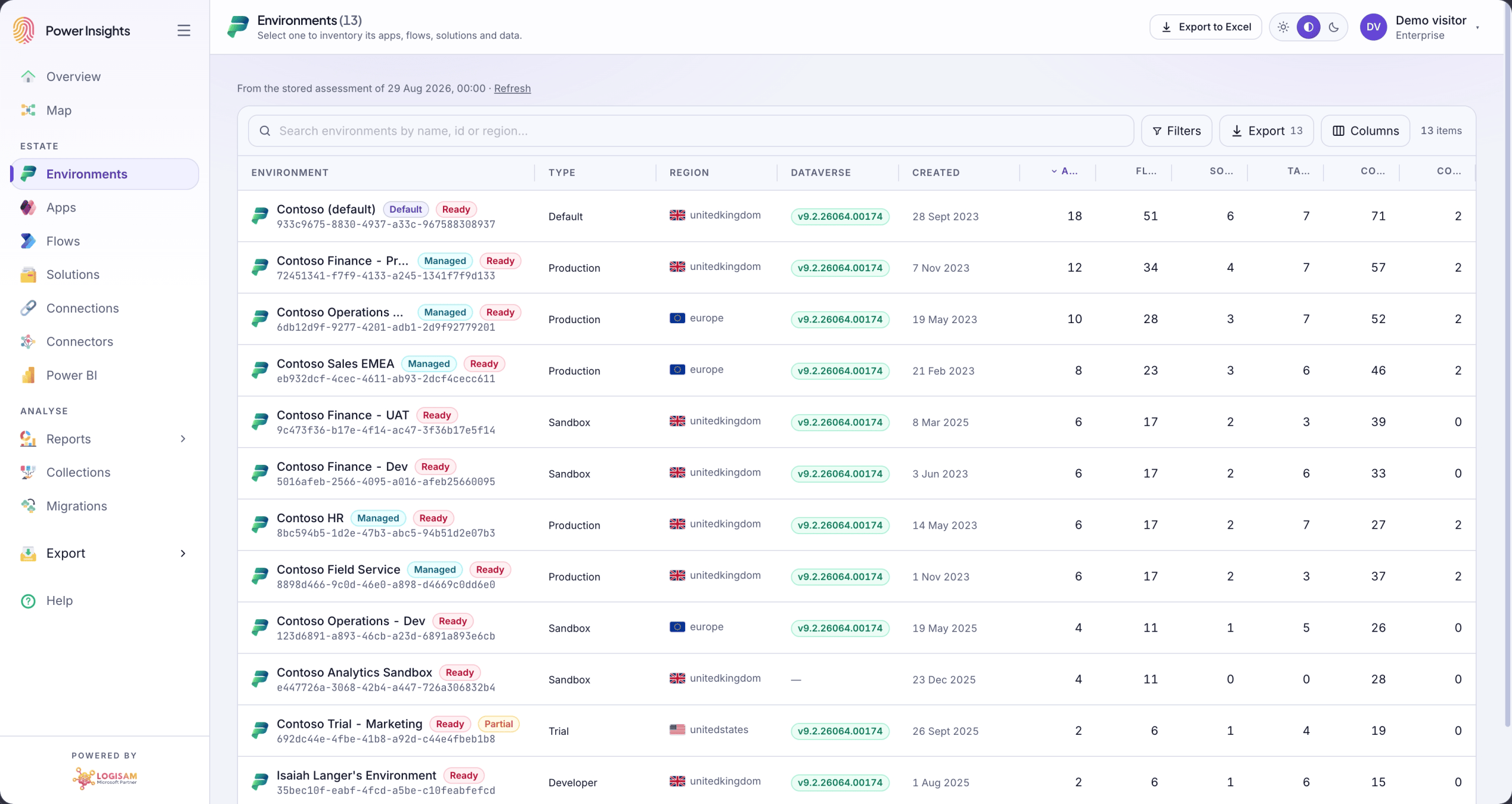
Tenant-wide environment inventory
Every environment, production to trial, with region, type, Dataverse version and Managed Environment status.
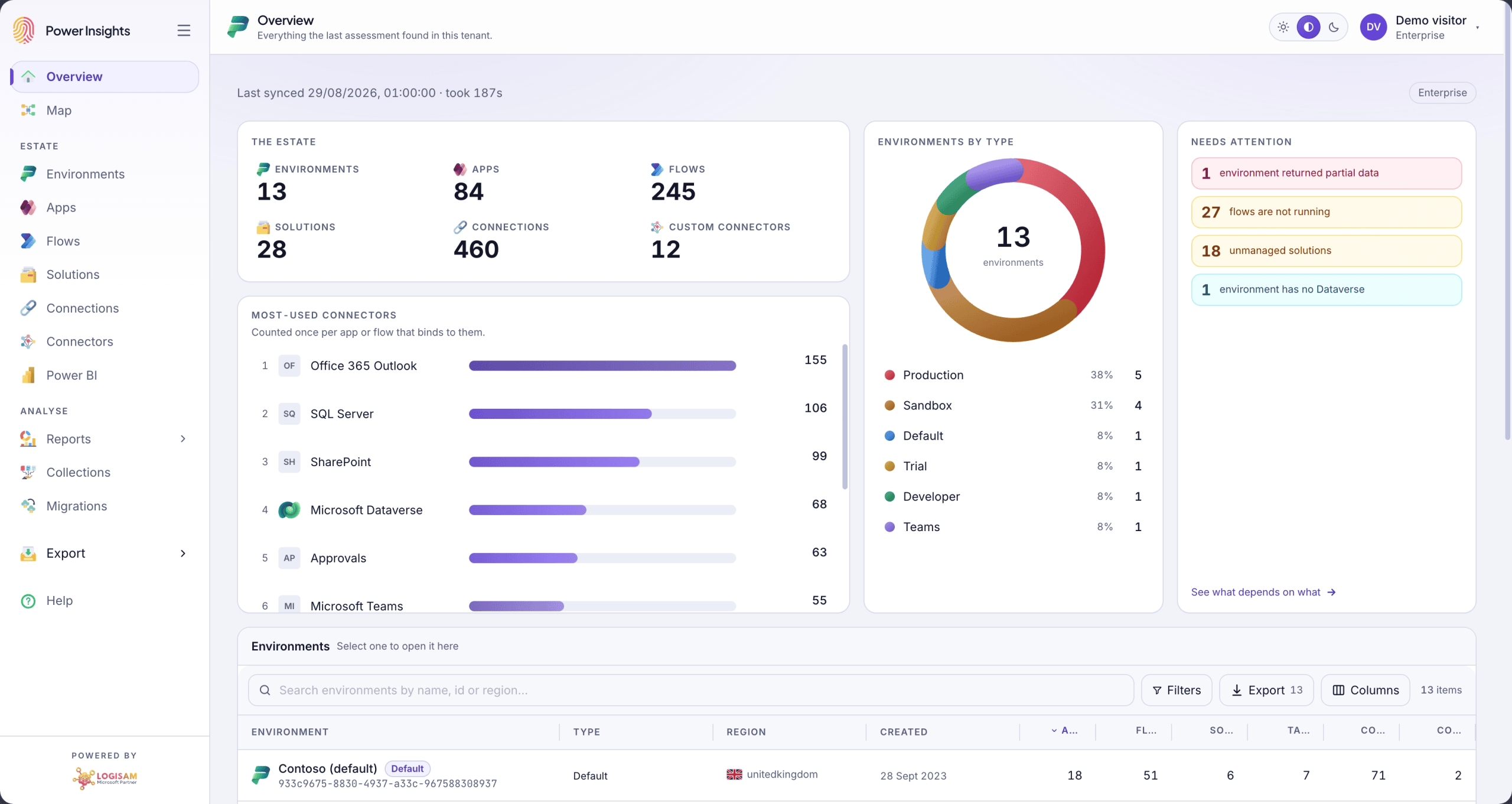
Connector usage and tiering
Standard, premium and custom connectors ranked by real usage, so licence exposure and security reach stop being a guess.
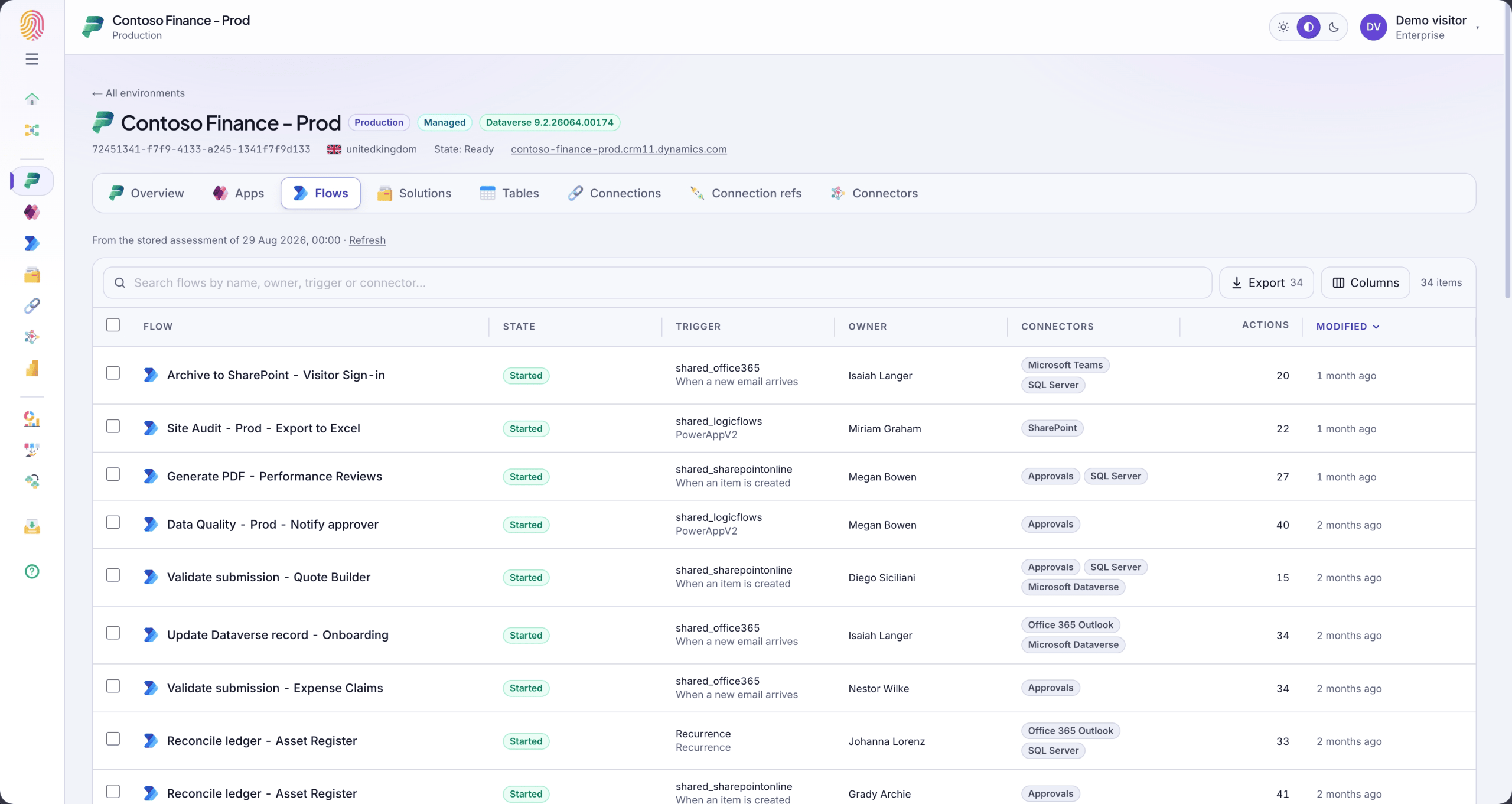
Cloud flow inventory
Trigger type, run state, action count and the connection references each flow resolves through.
Connections and their owners
Which account a connection runs as, whether it is shared, its status, and everything that depends on it.

Also in every assessment
- Canvas and model-driven apps: owner, version, created and modified dates, sharing reach and the connectors behind each app.
- Connection references resolved: the link between a flow and its credentials, followed all the way through.
- Solutions and components: publisher, version, managed state and a breakdown of what each solution carries.
- Dataverse tables and columns: ownership, auditing and change-tracking flags, down to column type and requirement level.
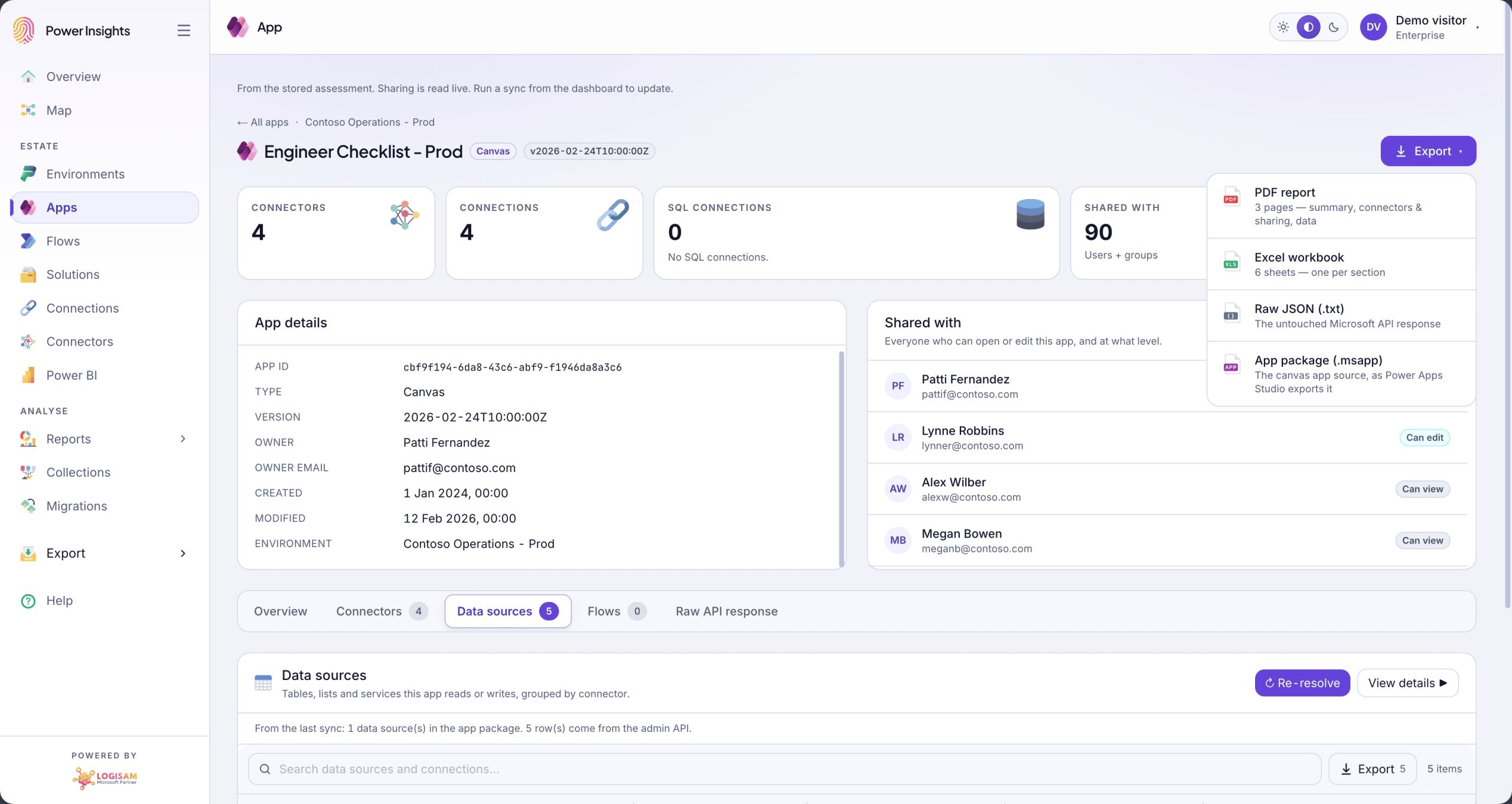
Reports you can hand to the board
Export the whole assessment, or any single object, to Excel or PDF: tenant summary, per-environment detail, app and flow inventories, formatted to be read by people who will never log in.
Who Power Insights is for
- Power Platform admins and CoE leads who need a current, trustworthy picture of the estate.
- IT, security and licensing teams preparing for an audit or a licence review.
- Teams planning a migration between tenants or environments. See Power Insights for migration.
- Microsoft partners and MSPs assessing many customer tenants.
Start free. The free plan is a real assessment of a real tenant (one environment), not a countdown. Move up when you need more environments, more people or the exports. See pricing.
Get the full picture of your Power Platform estate
Sign in with a Power Platform, Dynamics 365 or Global Administrator account and run your first assessment in minutes. Colleagues you invite do not need admin rights.


