

Copilot Insights: Prove Your Microsoft 365 Copilot ROI and Govern Every AI Agent


Microsoft 365 Copilot is one of the most expensive licences you will buy, and at renewal someone will ask whether it is paying off. Meanwhile, Copilot Studio agents are appearing across the tenant faster than anyone can track them. Copilot Insights is the LogiSam product that answers both questions: which Copilot seats are earning their keep, how much spend you can reclaim, and a governed inventory of every AI agent in your tenant. Read-only, in minutes.
Read-only · Activity metadata only · Never prompt content
The problem: expensive seats and invisible agents
- Unused Copilot seats cost real money. Licences get bought, assigned and forgotten. Without a clear purchased vs assigned vs active picture, there is no defensible number at renewal.
- Adoption is hard to see. Who is actually using Copilot, in which apps, and where is adoption stalling?
- Shadow agents. Copilot Studio agents get published, then left unused or orphaned, and some touch sensitive data. Nobody has the full list or clear ownership.
- Native dashboards give you data, not actions. The Microsoft 365 admin centre and the Copilot Dashboard show usage, but they do not turn it into a reclaim figure, a prioritised plan or agent governance.
Two modules, one view
Module A: Copilot licence ROI
Turn raw licence data into a clear ROI story and a reclaim number you can take to finance.
- Purchased vs assigned vs active licences at a glance
- Reclaimable spend in $/month and $/year
- Adoption by app, with dormant and low-usage users
- Prioritised recommendations you can act on

Module B: AI agent governance
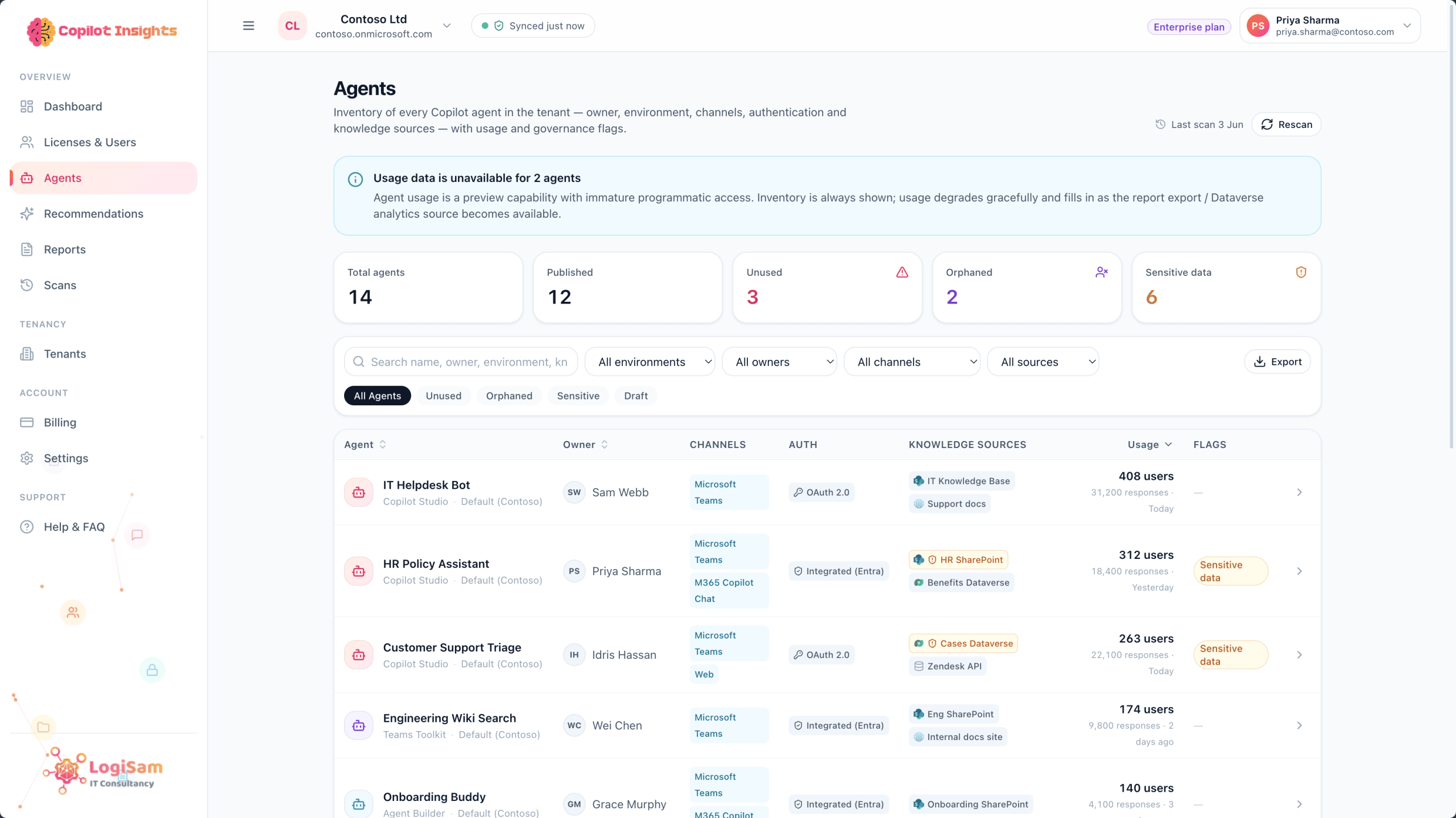
Discover and govern every Copilot Studio agent in your tenant. No more shadow agents or mystery ownership.
- Automatic inventory of Copilot Studio agents
- Published, unused and orphaned agents flagged
- Agents touching sensitive data highlighted
- A governance baseline you can track over time
What you get on top of Microsoft’s own dashboards
| Capability | M365 admin centre and Copilot Dashboard | Copilot Insights |
|---|---|---|
| Copilot licence assignment and usage report | Yes | Yes |
| Reclaimable spend as a £/$ figure | No | Yes |
| Prioritised reclaim and renewal right-sizing | No | Yes |
| Copilot Studio agent inventory with risk flags | Partial | Yes |
| Licence ROI and agent governance in one view | No | Yes |
| Board-ready ROI reports with CSV and PDF export | Partial | Yes |
| Multi-tenant view across clients for MSPs | No | Yes |
Keep using Microsoft’s native tools. Copilot Insights is the action layer on top of them.
Act, share and measure
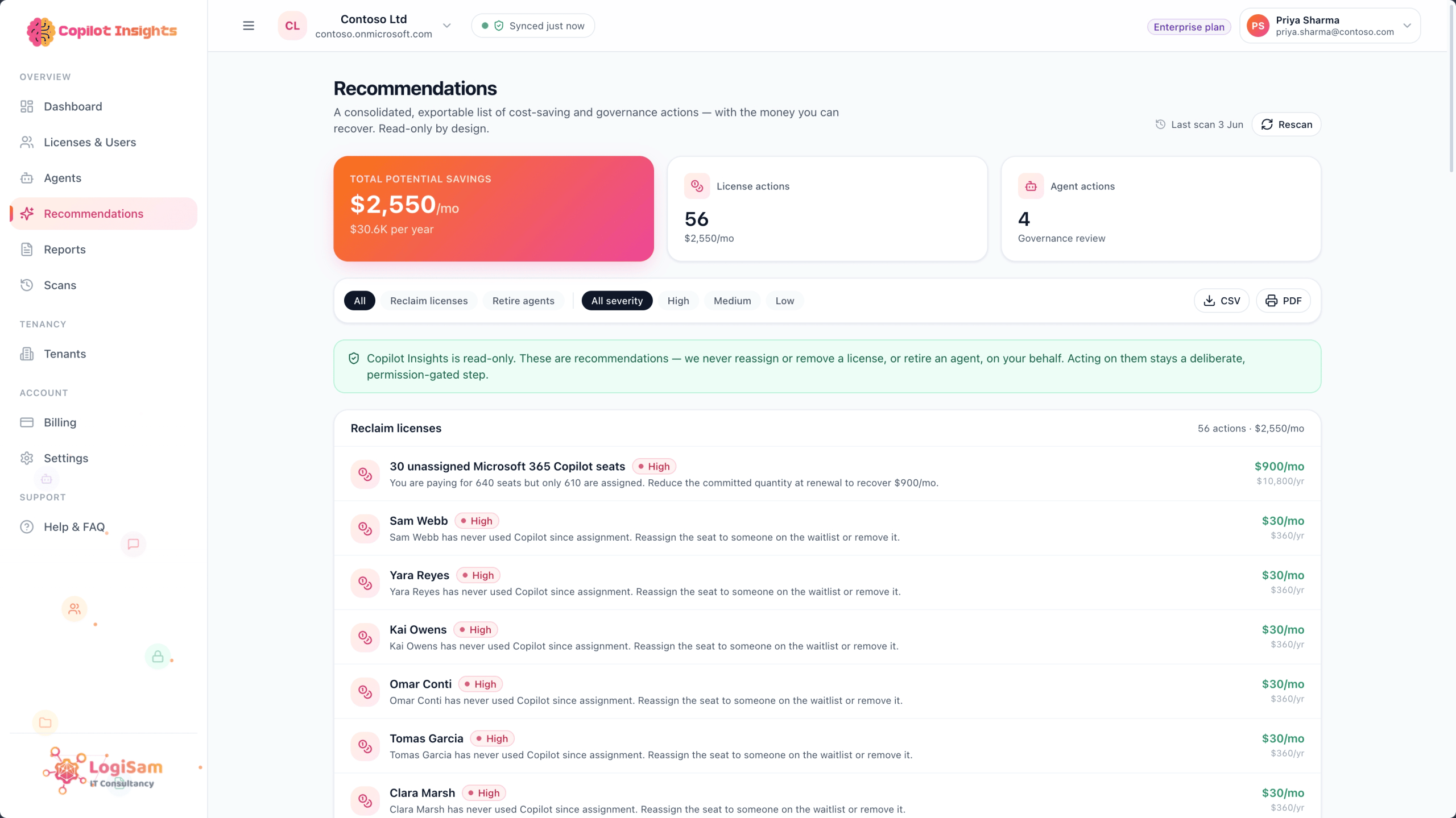
Recommendations
A prioritised, plain-English list of what to do next (reclaim these seats, review this agent), each tied to the numbers behind it.
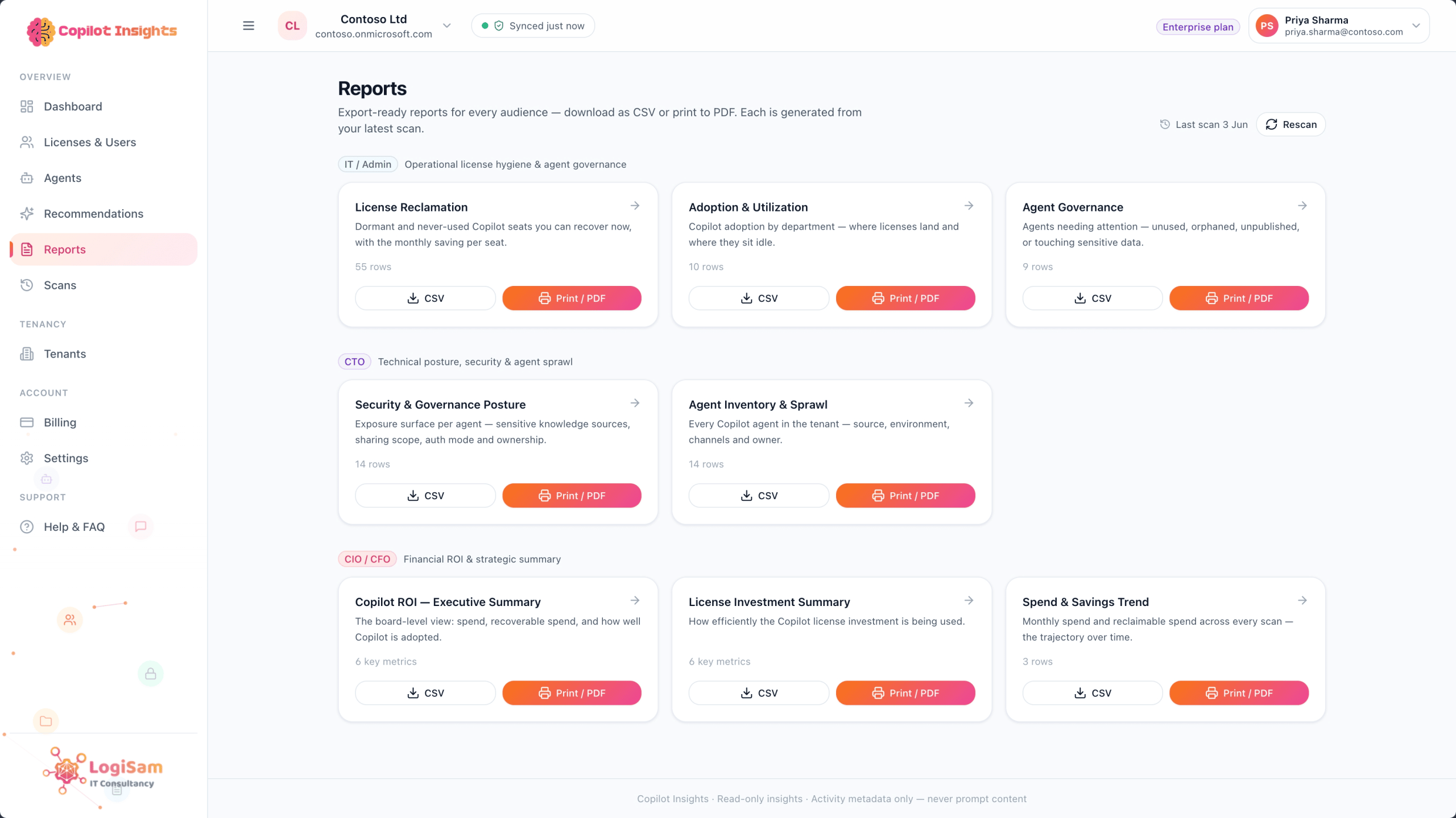
Reports and exports
Board-ready reports for finance, IT and security, exportable to CSV and PDF, with scheduled email ROI digests to keep stakeholders in the loop.
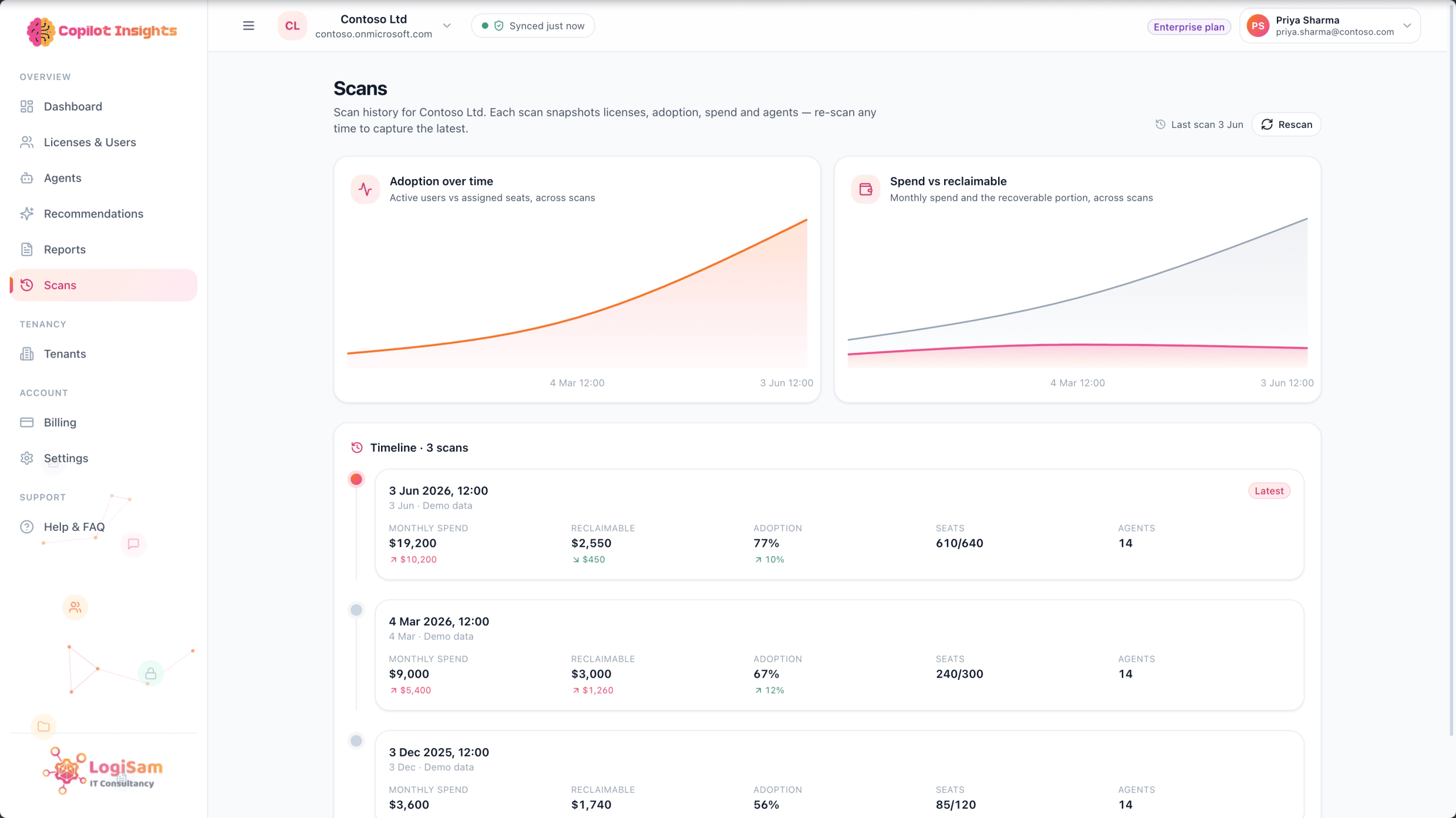
Scans you can compare over time
Run a read-only scan whenever you need a fresh picture, and compare snapshots over time to show progress at renewal.
Safe by design
Copilot Insights connects with read-only Microsoft Graph consent and looks at activity metadata only. It never reads prompts, chats, emails or documents. It cannot reassign licences, alter or delete agents, or change a single setting. You can revoke access from Microsoft Entra at any time and delete your data whenever you want, so your security team can sign off in a day, not a quarter.
Who Copilot Insights is for
- IT and FinOps: cut Copilot waste at renewal with a clear reclaim number and a defensible budget.
- IT administrators: one dashboard for adoption, seat assignment and recommendations, with no spreadsheets or manual Graph queries.
- Security and governance teams: discover shadow agents, orphaned ownership and agents touching sensitive data.
- Microsoft partners and MSPs: a multi-tenant view across clients.
Prefer to buy through Microsoft? Copilot Insights is on the Microsoft Marketplace and Azure Marketplace, billed through your existing Microsoft agreement.
Find out what your Copilot licences are really worth
Run your first scan free. Read-only, activity metadata only, and you get a reclaim number, a prioritised action list and a full agent inventory in minutes.


