

TSO: Find and Reclaim Wasted Microsoft 365 Storage, Safely and in Days


Most Microsoft 365 tenants I review are paying to store files nobody opens, and then feeding those same files to Copilot. TSO (Tenant Storage Optimisation) is the tool we built at LogiSam to fix both problems. It scans SharePoint, OneDrive, Exchange and Teams, ranks the duplicates, oversized files and stale content weighing your tenancy down, and hands you a clear action plan, without ever touching a file.
Microsoft 365 SSO · Read-only Graph permissions · No agents to install
The problem: storage you pay for, and Copilot reads
Additional Microsoft 365 storage costs $0.20 per GB per month, and the mid-size tenants TSO scans typically hold 20–40% of their storage in duplicates, stale drafts and orphaned OneDrives. Nobody deletes anything, so the bill quietly grows every quarter. And as Microsoft tightens enforcement on tenants that exceed their storage quota, the clutter is no longer just a cost line.
- Silent, compounding cost. Old drafts, duplicates and ex-employee OneDrives grow every quarter, and the tenancy carries the cost.
- Copilot quotes the wrong version. Copilot grounds its answers in everything a user can see. Ten versions of the same expenses policy, including a 2018 draft nobody retracted, and it confidently quotes the wrong one. (I covered this in detail in Why Copilot gives wrong answers.)
- Native admin tools stop at totals. The SharePoint admin storage report shows totals per site, not which files, which owners or which duplicates. Copilot data-quality issues never show up there at all.
Example: “Expenses Policy”, 3 copies found across the tenant
TSO recommends archiving the 2018 draft, deleting the orphaned OneDrive copy and keeping the HR-owned final as the single source of truth. Result: space reclaimed, two confusing Copilot sources removed, and one click to export the action list.
How TSO works
One consent, one scan, one ranked reclaim list per workload. Sign in with your Microsoft 365 account, grant read-only consent, and TSO scans SharePoint Online, OneDrive for Business, Microsoft Teams and Exchange Online. Every finding carries the site, owner, size, age and reclaim estimate, so an admin can act in minutes, or hand it to the data owner with the evidence.
Read-only, safe by design
TSO requests only Microsoft Graph read scopes: Sites.Read.All, Files.Read.All, Reports.Read.All, Directory.Read.All and User.Read.All. It reads file metadata (name, size, hash, timestamps), never file contents, email bodies or Teams messages. It cannot delete, move, rename or change permissions. Every finding is a recommendation, ranked by confidence, for your admin to act on.
Key features
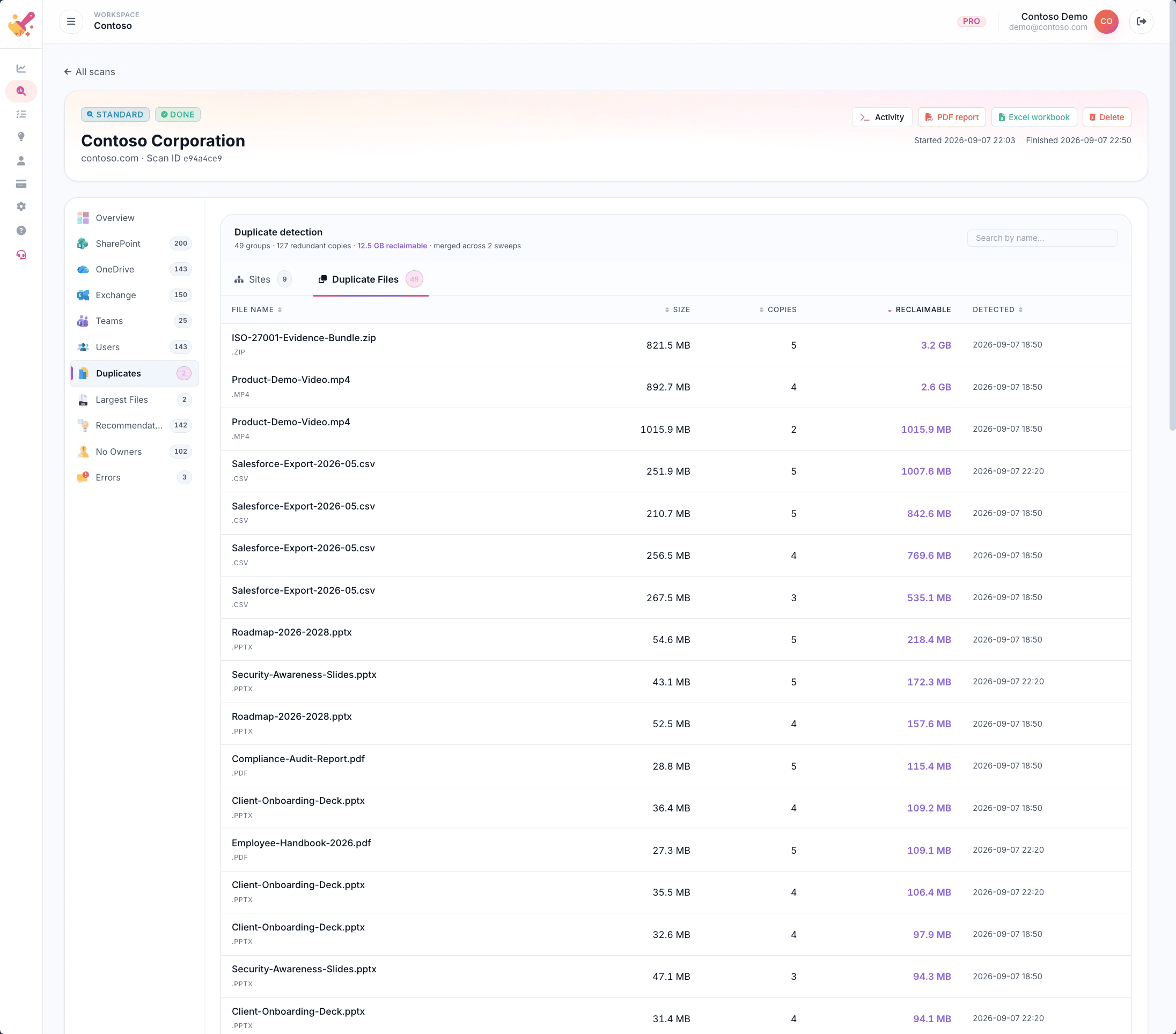
Duplicate detection
Hash-based sweeps across every SharePoint site and OneDrive account, grouped by content and sorted by reclaimable bytes.
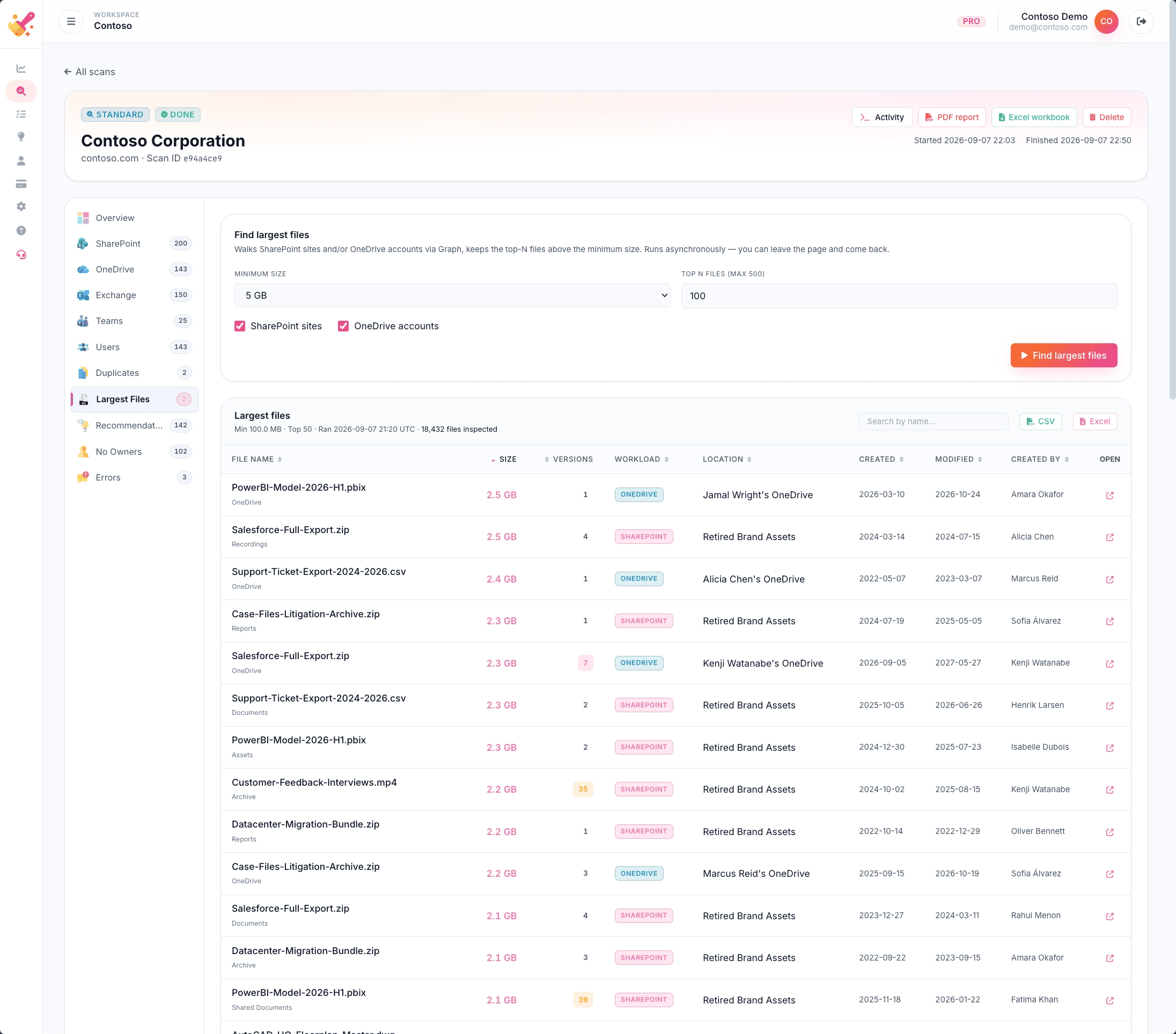
Largest files and version bloat
The top largest files across every drive with per-file version counts, plus the space you would reclaim by pruning older versions.
No-owner and dormant sites
SharePoint sites without an owner, dormant OneDrives of departed users and sites with no activity in years, ranked by cost.

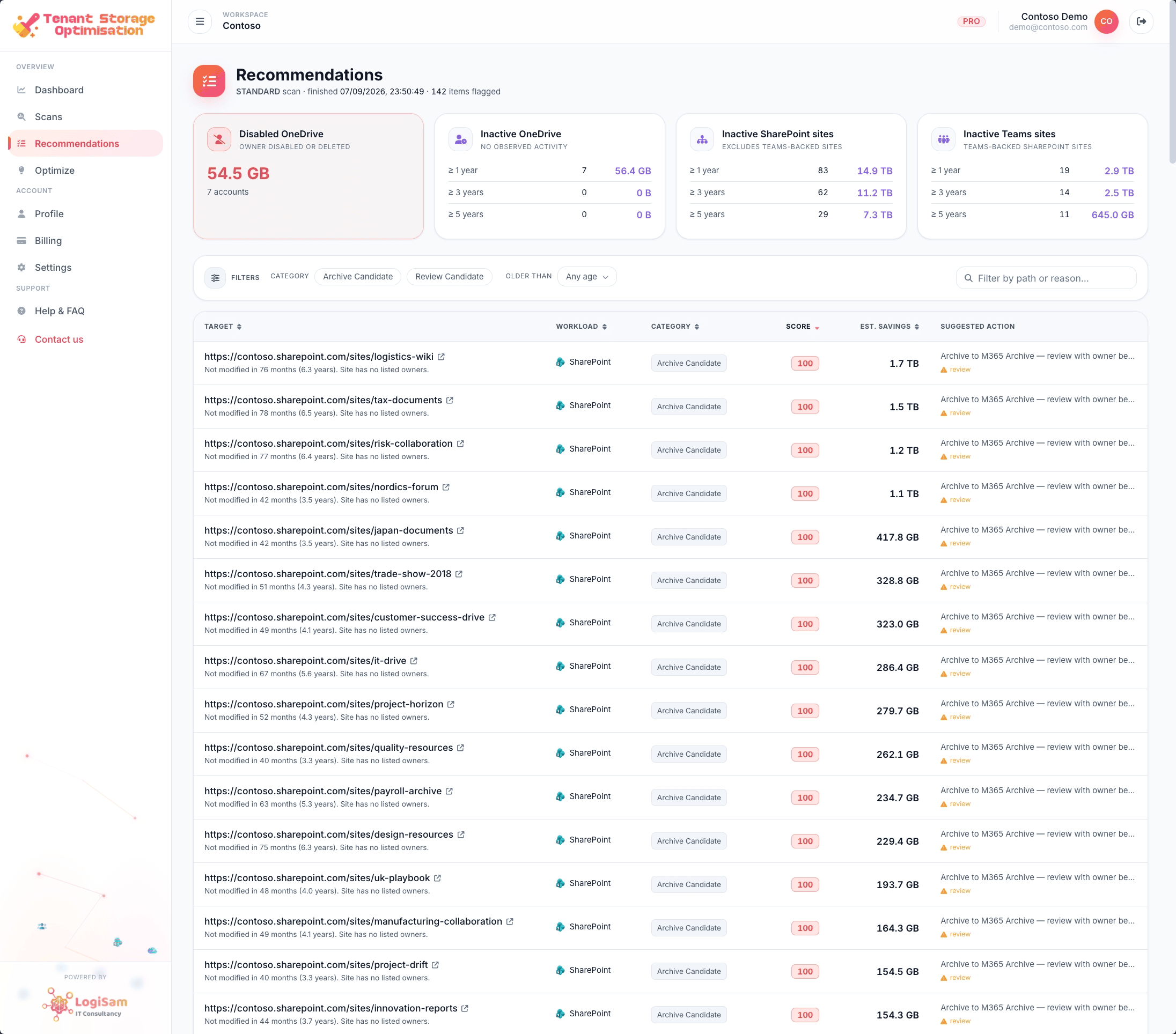
Recommendations engine
Archive, delete or review candidates scored on age, ownership and usage, each with a reason code and a reclaim estimate.
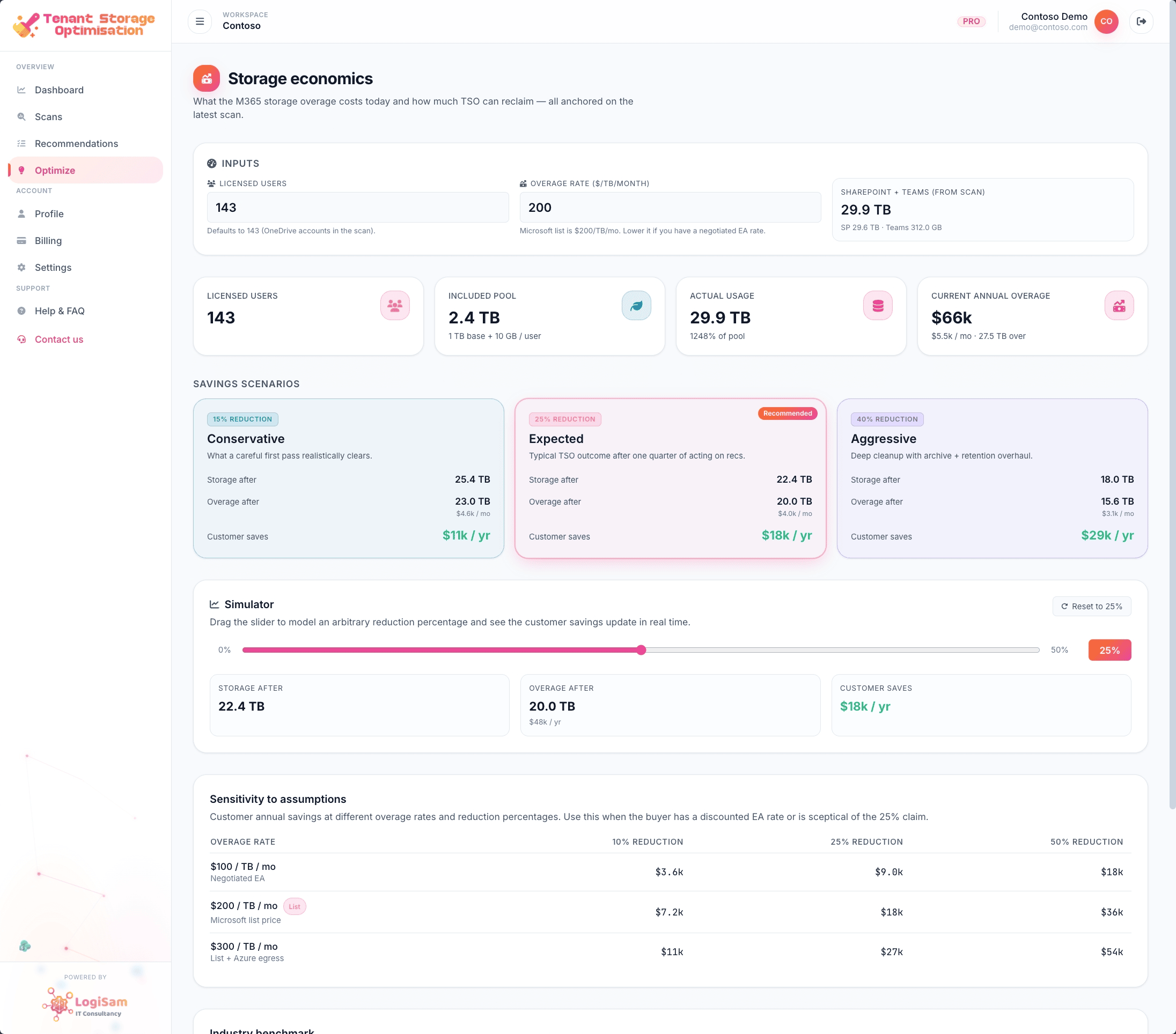
Optimize playbook
Groups every finding into an actionable plan with a cumulative reclaim readout: the version of the story a data owner will actually read.
Dashboard and client-ready reports
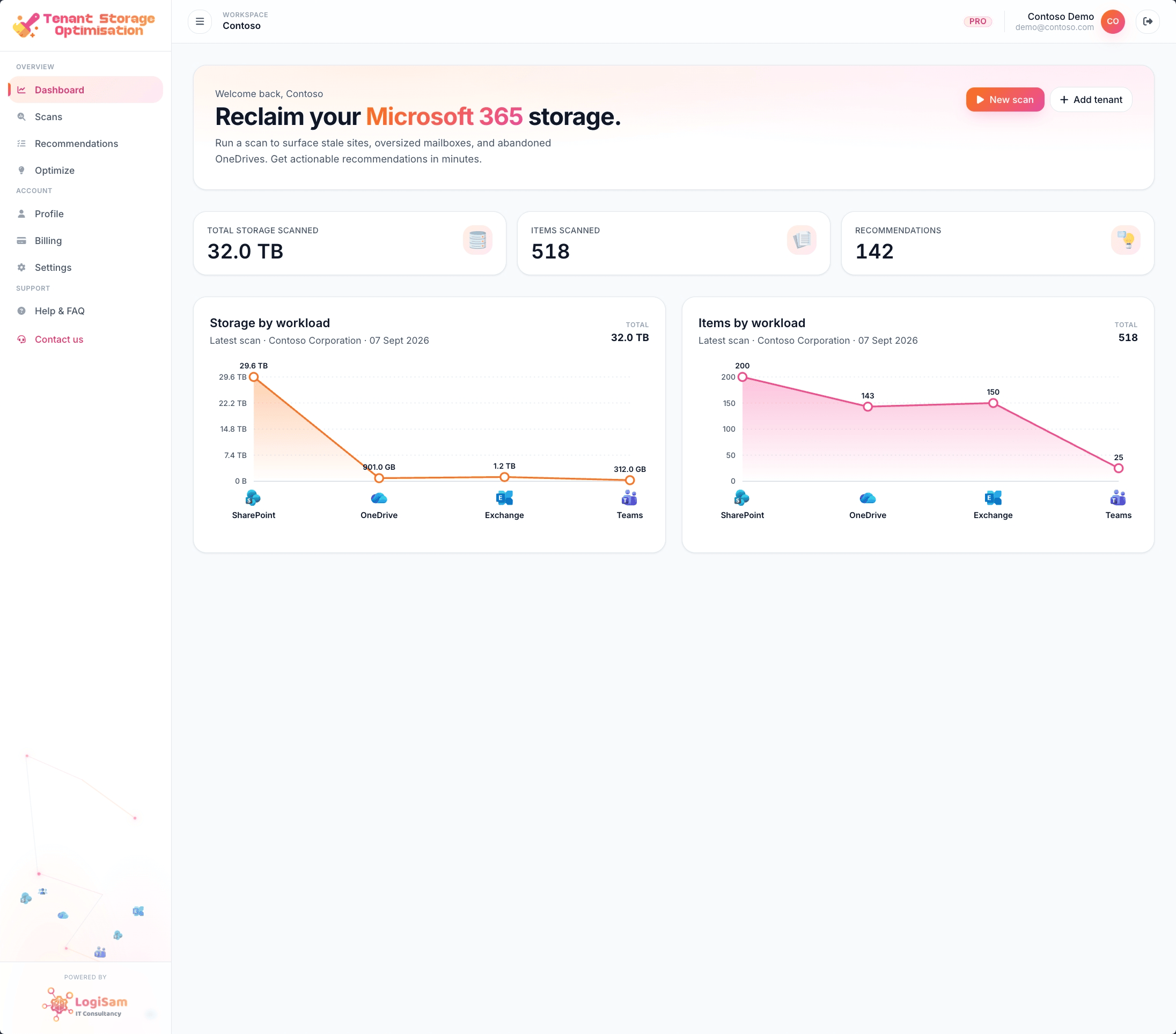
Storage KPIs by workload, plus a branded PDF and Excel workbook for every scan, ready for a CIO or finance team. MSPs on the Enterprise tier can white-label them.
Who TSO is for
- IT managers and Microsoft 365 admins facing storage overage, quota warnings or a growing storage bill.
- CIOs and CTOs preparing a wider Copilot rollout who need clean, trustworthy content first.
- Microsoft partners and MSPs who want a repeatable, client-ready storage assessment they can run across customers.
Buy it the way you already buy Microsoft
TSO is available on the Microsoft Marketplace and Azure Marketplace. Provision it in minutes, bill it against your existing Microsoft agreement and sign in with your existing Entra tenant. Data residency is available in UK South, Sweden Central and US regions.
See what your tenant is hiding
Run a free, one-off scan. No card, no agents, no changes to your data. You get a ranked reclaim list and a client-ready report, and you decide what to act on.


